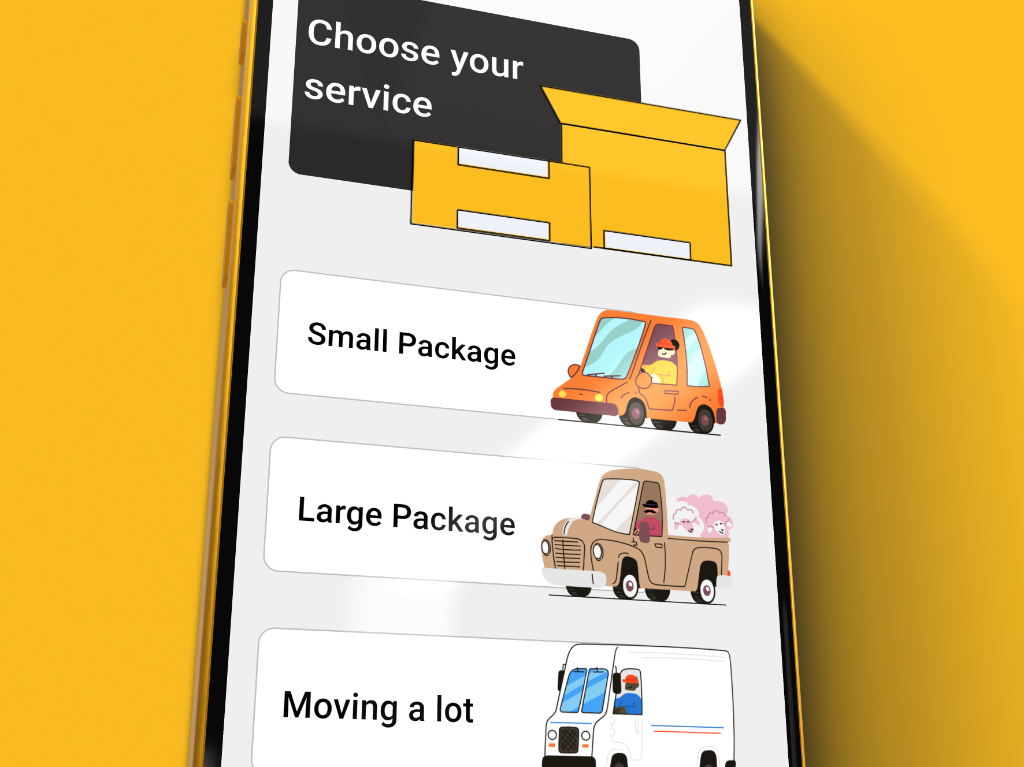
Overview
Zoodbox is a same-day, in-town delivery service built for speed and simplicity. Unlike traditional couriers or enterprise logistics, Zoodbox targets individuals and small businesses who need fast, affordable package delivery without complexity.
I joined as the sole product designer to shape the mobile app experience from the ground up—from market research through high-fidelity design and usability validation. The goal: create an interface so intuitive that users could request a delivery in under 60 seconds.
Design Evolution
Drag the handle to compare the original designs with the redesigned experience.
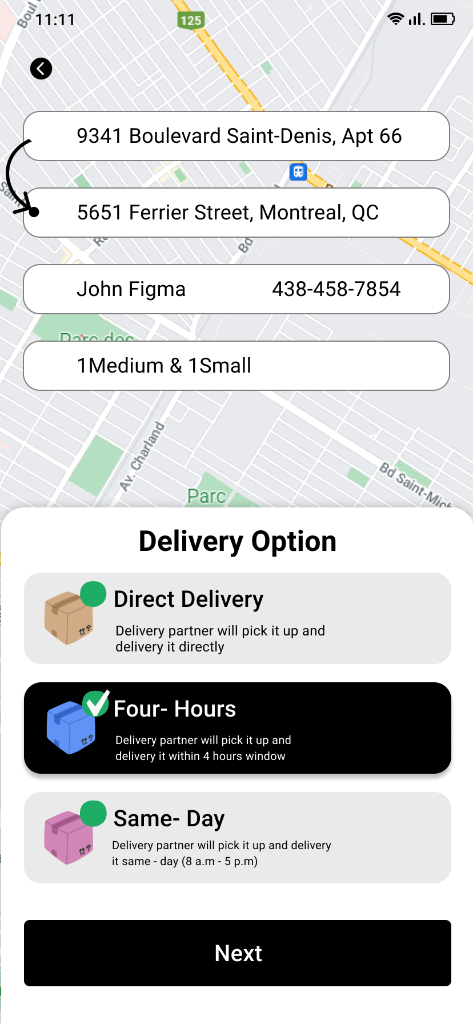
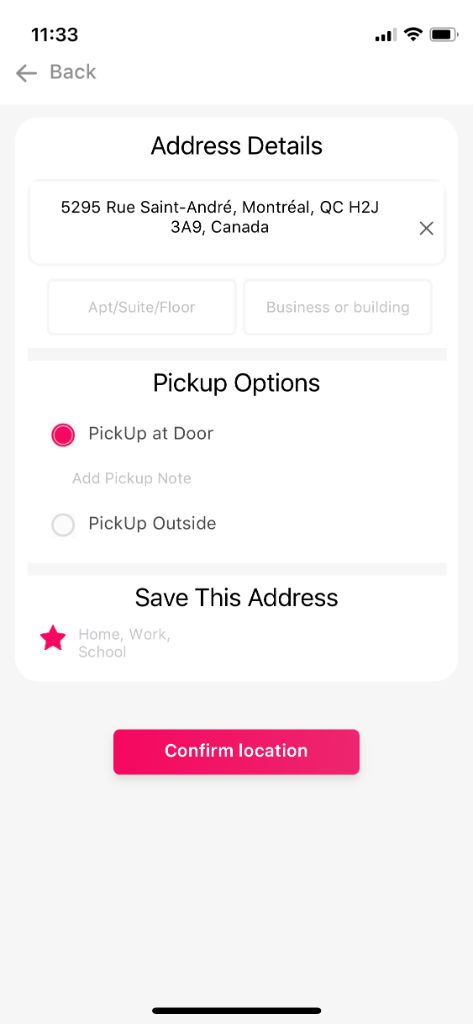
Drag the handle or scroll to compare
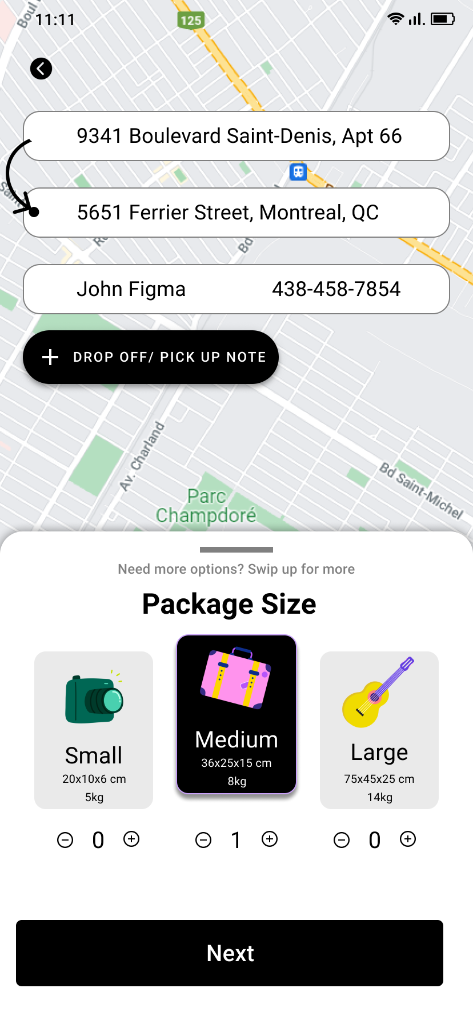
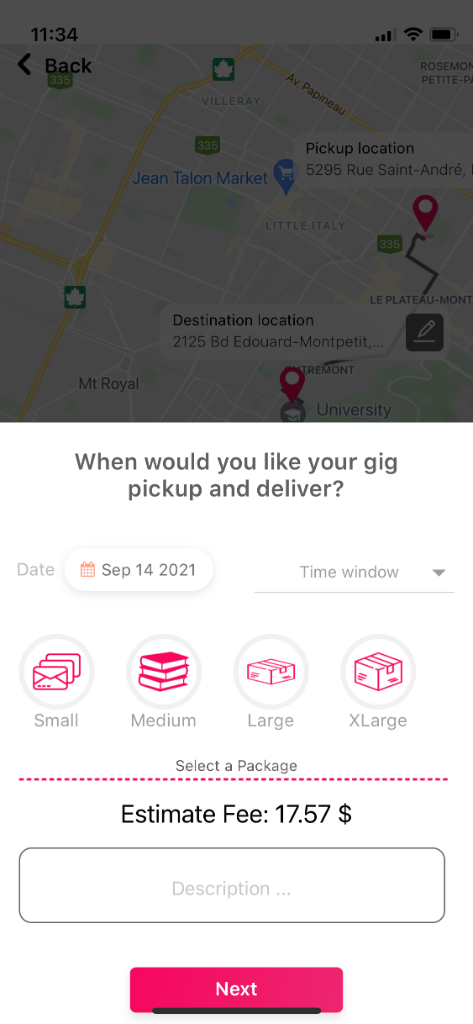
Drag the handle or scroll to compare
The Problem
Traditional delivery services often fall short for urban users seeking quick, cost-effective solutions for small packages. Through competitive analysis and user interviews, I identified three core pain points:
Too many steps
Competitor apps require 7-10 screens to complete an order. Each additional step increases abandonment risk.
Price opacity
Users frequently cited surprise fees and unclear pricing as a major frustration. Trust erodes when the final price differs from expectations.
Tracking anxiety
Limited visibility into package location creates uncertainty. Users want real-time updates, not vague status messages.
Design Goals
Working with the founder, I defined three measurable success criteria for the design:
Minimize ordering steps
Reduce the flow to 4 screens or fewer without sacrificing clarity.
Transparent pricing
Show total cost immediately after entering addresses. No surprises.
Real-time visibility
Live map tracking with driver location and ETA at every stage.
Competitive Analysis
I analyzed 8 delivery apps across different markets to understand best practices and identify differentiation opportunities. Key findings informed our design direction:
Size selection is confusing
Most apps ask for exact dimensions. Users rarely know package measurements—visual size presets perform better.
UX teardowns of 8 competitors
Pricing shown too late
5 of 8 apps show final price only at checkout. Users feel trapped and abandon if the price is higher than expected.
App store reviews analysis
Tracking is table-stakes
Every successful app offers real-time map tracking. Users expect Uber-like visibility as the baseline.
Feature comparison matrix
Speed wins
Apps with the fewest steps had highest ratings. Each additional screen correlates with lower satisfaction.
Flow mapping + ratings analysis
"I just want to know how much it costs and when it'll arrive. Why do I need to fill out 10 forms?"
Design Process
With a small team and tight timeline, I focused on rapid iteration and early validation. Here's how the project unfolded:
Market Research & Competitive Analysis
Analyzed 8 delivery apps (Uber, DoorDash, Lalamove, etc.) to identify patterns, gaps, and opportunities. Mapped feature sets and user flows.
User Flow Definition
Collaborated with the founder to define the core ordering flow. Goal: minimize steps while maintaining clarity. Targeted 4 screens or fewer.
Wireframing & Iteration
Created low-fidelity wireframes to test information hierarchy and flow logic. Iterated based on internal feedback before moving to UI.
Visual Design & Prototyping
Developed the visual language and high-fidelity UI in Figma. Built interactive prototypes in Principle for user testing.
Usability Testing
Conducted 12 moderated usability sessions with target users. Measured task completion, time-on-task, and satisfaction scores.
Handoff & QA
Prepared detailed specs and worked closely with engineers during implementation. Conducted QA reviews to ensure design fidelity.
Key Design Decisions
4-Step Order Flow
Problem
Competitors require 7-10 screens. Each step increases cognitive load and abandonment.
Solution
Collapsed the flow to 4 steps: Addresses → Package Size → Review → Confirm. Combined related inputs on single screens.
Rationale
Heuristic evaluation showed most apps separate pickup/dropoff unnecessarily. Users think of it as one action.
Visual Package Sizing
Problem
Asking for exact dimensions (cm/inches) causes friction. Users don't know their package measurements.
Solution
Replaced dimension inputs with visual presets: Envelope, Small Box, Medium Box, Large. Each shows common items as reference.
Rationale
Usability testing showed 100% task success with visual presets vs. 67% with dimension inputs.
Upfront Pricing
Problem
Hidden fees and late price reveals erode trust. Users feel deceived when final cost differs from expectations.
Solution
Show total price immediately after entering addresses—before any other details. Price updates in real-time as users modify options.
Rationale
Competitive analysis showed apps with upfront pricing had 23% higher ratings on average.
Live Map Tracking
Problem
Status text like 'In Transit' creates anxiety. Users want to see exactly where their package is.
Solution
Full-screen map showing driver location, route, and ETA. Push notifications at key milestones (picked up, 5 min away, delivered).
Rationale
Uber-like tracking is now the baseline expectation. Anything less feels outdated.
Final Screens
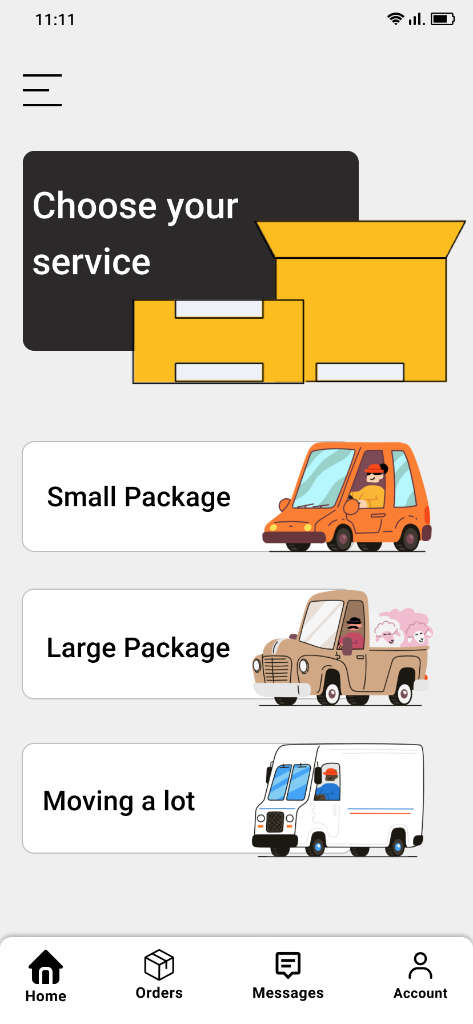
Home Screen
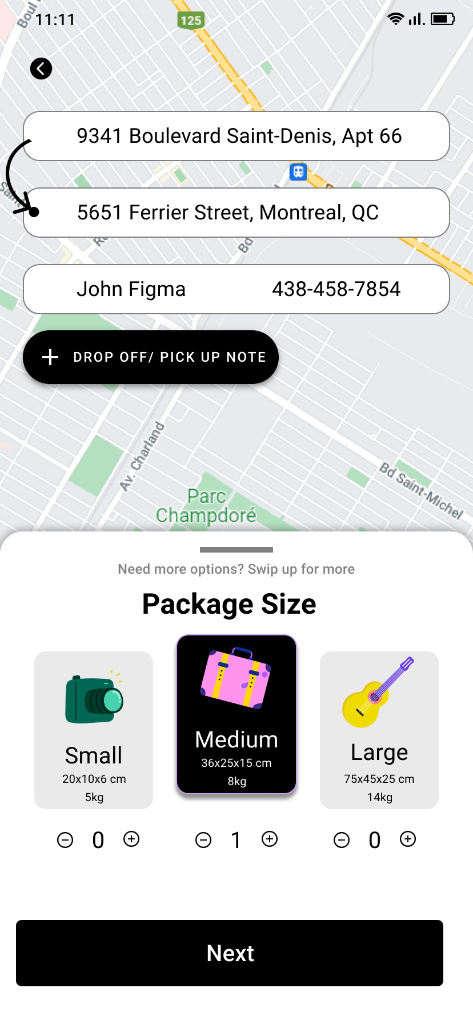
Package Size
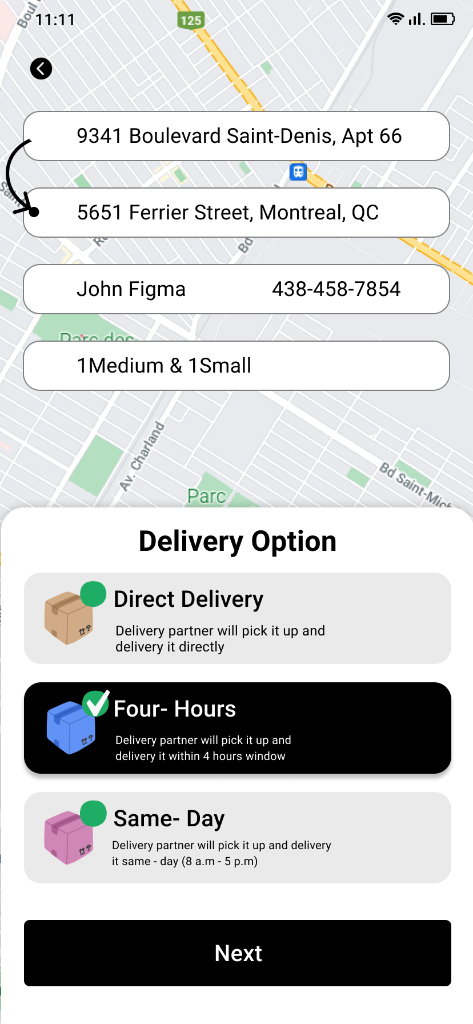
Delivery Options
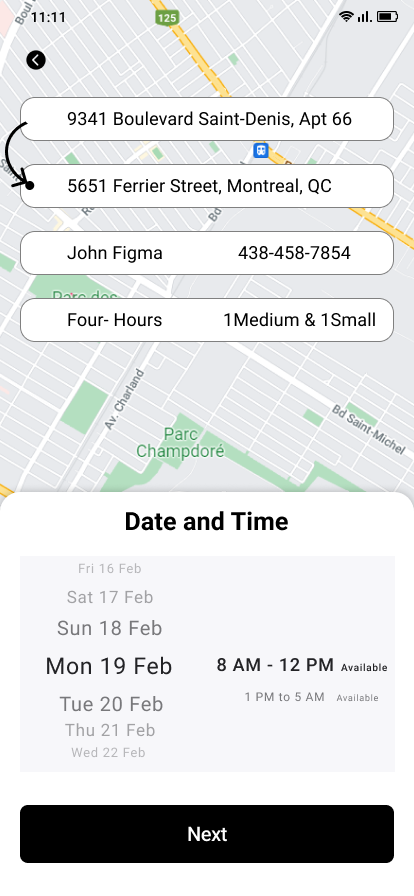
Date and Time
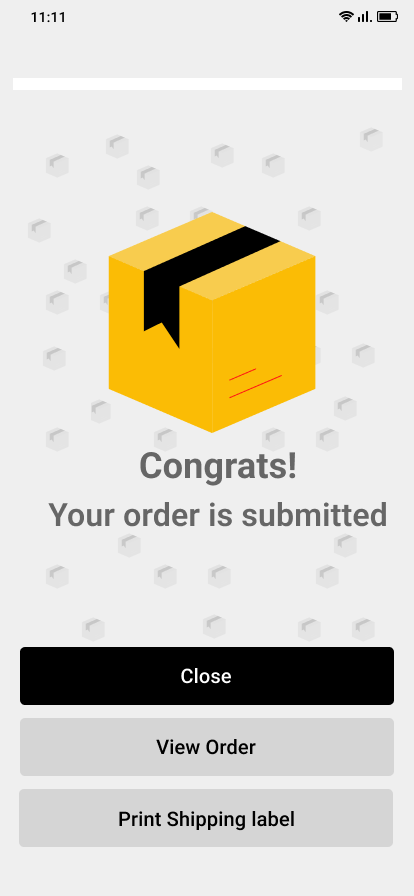
Order Confirmed
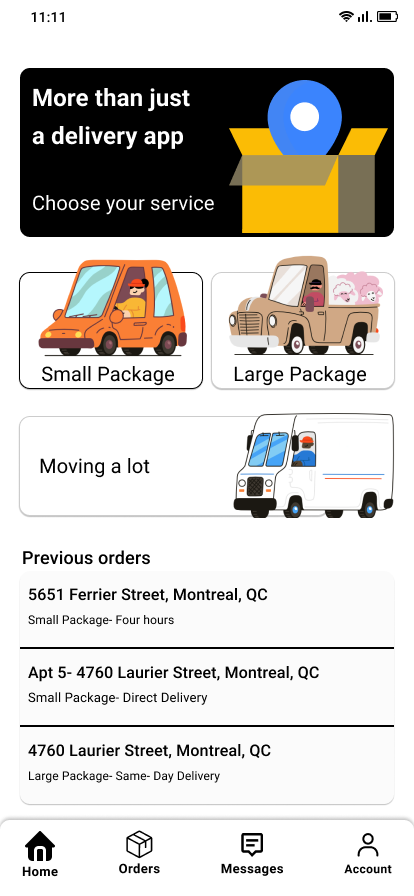
Previous Orders
Results & Impact
Shipped a production-ready design in 6 months
The app launched on iOS and Android with strong initial adoption. Key metrics validated our design decisions.
"The design nailed exactly what we needed—simple enough for anyone to use, but sophisticated enough to scale. Users consistently praise how easy it is to book a delivery."
Reflections & Learnings
Constraints breed creativity
Working with a small team and tight timeline forced ruthless prioritization. We shipped only what mattered most.
Test early, test often
Low-fidelity wireframe tests caught flow issues before we invested in high-fidelity design. Saved significant rework.
Scheduled deliveries needed earlier
Post-launch feedback showed high demand for future scheduling. Should have prioritized in v1.
Build the system from day one
Started with ad-hoc components. Had to retroactively create a design system. Would start with foundations next time.
Recommendations & Next Steps
Add scheduled deliveries
Allow users to book deliveries for future dates/times—high-demand feature from user feedback.
Build design system
Formalize components and patterns to enable faster iteration and maintain consistency.
Expand user research
Conduct research with small business users to understand B2B needs and opportunities.
Interested in working together?
I'm currently exploring new opportunities to design intuitive, user-centered products.
Get in touch